
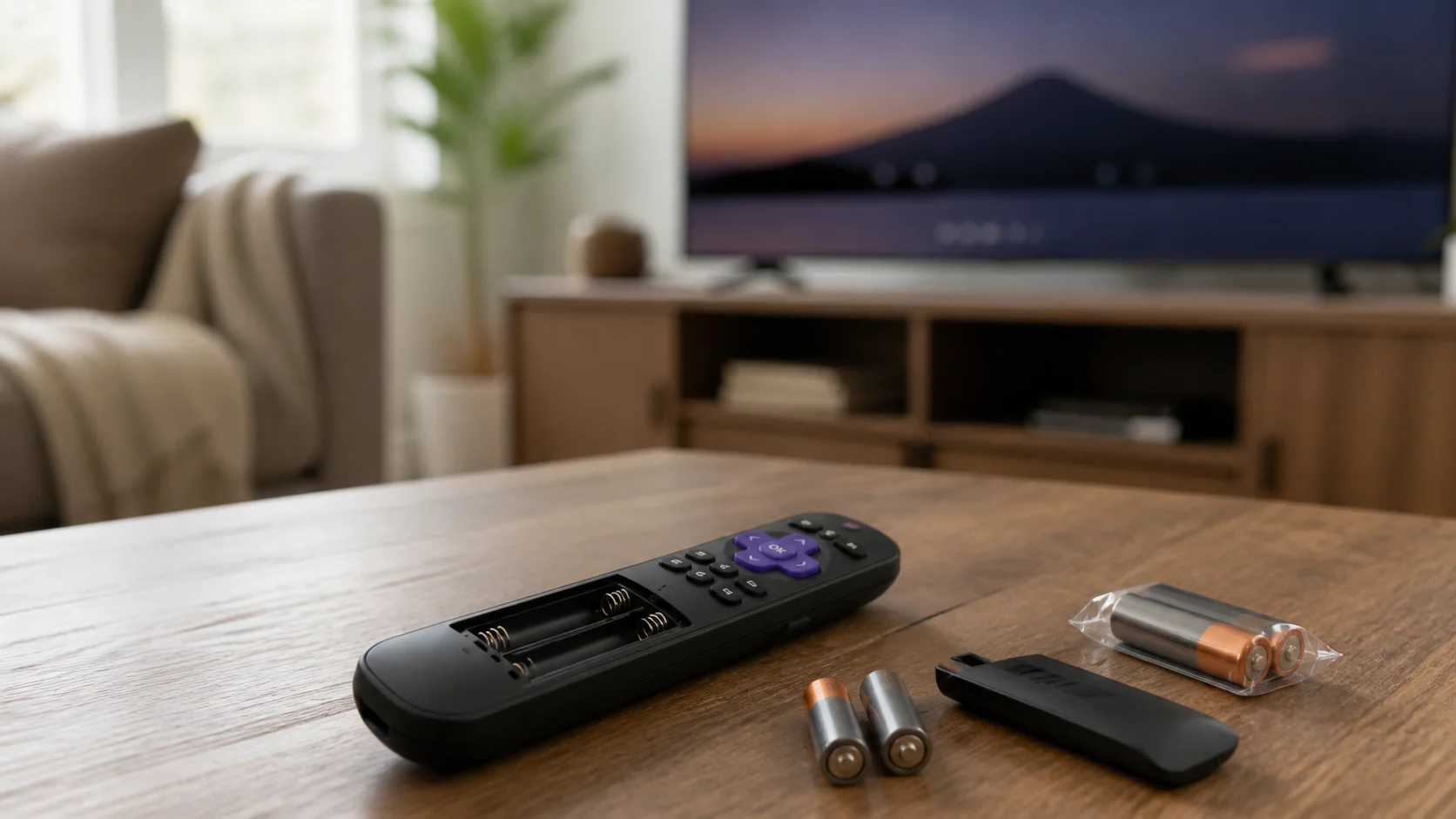
If I had to put fresh batteries in a Roku remote every week or two, I would not assume that was normal. A remote control should not feel like another device I constantly have to feed with new batteries. The same problem-first approach runs through my guide to tech upgrades that actually make daily life easier.
That is exactly the kind of problem Roku owners have been discussing online. In one Roku Community thread, users described remotes that could drain batteries in as little as one or two weeks, sometimes even on TVs that were not used very much. Roku representatives pointed to several possible causes, including wireless connection problems, heavy remote use, private listening, and pairing trouble.
The important part is that not every Roku remote works the same way. Some are simple infrared remotes. Others are wireless voice remotes. Some newer models even have rechargeable batteries built in.
That means the best fix depends on which remote is sitting in your hand.
Before I would spend money on a replacement, I would work through the steps below.
First, Find Out Which Roku Remote You Have
I think this is the most important first step because Roku currently divides its remotes into two basic groups: simple remotes and voice remotes.
There is an easy way to tell them apart.
Look near the purple directional pad. If your remote has a button with a microphone or magnifying-glass symbol, Roku says it is a voice remote. If there is no voice button, it is a simple remote.
That difference matters because the remotes communicate with Roku devices in different ways.
A Roku simple remote uses infrared, or IR, light. It is similar to many traditional TV remotes. You normally have to point it toward the Roku player or TV, and something blocking the path can prevent the signal from reaching the device.
A Roku voice remote, on the other hand, uses a wireless connection. You do not have to aim it directly at the Roku device. This is especially useful when a streaming player is hidden behind a television.
Because a voice remote maintains a wireless connection, there are more things that can potentially affect its power use.
So before troubleshooting battery drain, I would answer this question:
Does my remote have a voice button?
If the answer is yes, pay especially close attention to the wireless, pairing, and headphone-related fixes below.
| Remote type | How it communicates | Checks to prioritize |
|---|---|---|
| Simple remote | Infrared (IR) | Matching batteries, stuck buttons, contacts, liquid or physical damage |
| Voice remote | Wireless connection | Restart, re-pairing, Wi-Fi reliability, Headphone Mode, software update |
| Rechargeable voice remote | Wireless connection | Restart, re-pairing, full charge, connection quality, internal-battery age |
Fix 1: Start With a Completely Fresh, Matching Pair of Batteries
This sounds obvious, but I would still start here.
I would remove both old batteries and install a completely fresh matching pair. I would not mix one new battery with one older battery, and I would avoid mixing different battery types or brands in the same remote.
Roku's own troubleshooting instructions tell users of battery-powered simple remotes to remove the old batteries and install fresh matching batteries. For some remote troubleshooting procedures, Roku also recommends removing the batteries, pressing buttons to reset the remote, and then putting the batteries back in.
If a new pair lasts several months, the problem may have simply been a weak or defective set.
If another fresh pair is nearly dead again in seven or fourteen days, however, I would continue investigating.
I would also check the metal contacts inside the battery compartment. They should look clean and make solid contact with the ends of the batteries.
If a battery has leaked, I would stop using that battery and handle the compartment carefully.
And if the remote or batteries ever feel unusually hot, I would treat that as a different and more serious problem. Roku says users should stop using a remote that becomes warm or hot, place it on a hard, nonflammable surface, and let it cool. Roku specifically warns against removing hot alkaline batteries.
A hot remote is not something I would keep troubleshooting while it is in my hand.
Fix 2: Check for a Stuck Button
Next, I would inspect every button on the remote.
A button that is stuck partly down can act like somebody is pressing the remote again and again. Even if nothing appears to be happening on the television, repeated electronic activity could keep the remote from sitting quietly when it is not being used.
I would pay close attention to buttons that get pressed most often:
- The directional pad
- OK
- Home
- Back
- Volume up and down
- Mute
- Power
- Streaming-service shortcut buttons
I would press and release each button several times and make sure it springs back normally.
I would also look around the edges of the buttons for dirt, crumbs, sticky residue, or anything else that could keep one from returning to its normal position.
This check is especially worthwhile if the battery problem started suddenly after somebody spilled something on the remote, dropped it, or squeezed it between couch cushions.
If one button feels noticeably different from the others and keeps sticking, that points more toward a physical remote problem than a Roku software problem.
Fix 3: Restart the Remote
If I had a battery-powered Roku remote that was draining unusually fast, I would give it a proper restart rather than simply swapping batteries.
Roku's current remote troubleshooting instructions say that a battery-powered voice remote can be restarted by removing both batteries, pressing buttons, and reinstalling the batteries. Roku has similar battery-removal troubleshooting steps for simple remotes.
For a simple remote, Roku recommends removing the batteries, pressing any two buttons, and installing fresh matching batteries.
That process can clear a temporary problem inside the remote.
I would then use the remote normally and watch how quickly the battery warning returns.
If the batteries suddenly begin lasting much longer after the restart, that suggests the problem may not have been permanent hardware damage.
Fix 4: Restart the Roku Player or Roku TV Too
I would not troubleshoot only the remote.
The Roku device and the remote work as a system, especially when a wireless voice remote is involved. If the Roku player is having connection problems, restarting the player can sometimes clear them.
Roku provides a built-in system restart option. Depending on the device, users can go to:
Settings > System > Power > System restart
If there is no Power menu, the System restart option may appear directly under System.
Another simple method is to unplug the Roku device from power for at least 10 seconds and reconnect it.
Roku also uses this restart method in several of its remote-pairing instructions. For example, Roku recommends restarting the streaming device when a Streaming Stick remote will not pair correctly.
I would restart the Roku first, allow it to return fully to the Home screen, and then test the remote again.
Fix 5: Re-Pair a Voice Remote
This is one of the biggest differences between a simple remote and a voice remote.
A Roku simple remote does not have to be paired. Roku says users can simply insert the batteries and point the remote toward the device.
A voice remote is different.
It has to establish a wireless connection with the Roku player or Roku TV. Roku's support information says that a voice remote that is not properly paired may have problems with advanced features and may even have button presses fail from time to time.
Roku Community moderators have also listed improper pairing as one possible reason for unusually fast battery drain.
So if I owned a voice remote, I would try pairing it again.
On many models, the remote has a pairing button either on the back or inside the battery compartment. Some newer remotes instead use a button combination.
For current Streaming Stick instructions, Roku says users can start pairing by holding the pairing button or, on supported remotes, holding Back and Home for about five seconds.
Because remote models differ, I would follow the instructions that apply to my exact Roku remote rather than assuming every model pairs in the same way.
Once the remote has paired successfully, I would install fresh batteries and see whether the rapid drain stops.
Fix 6: Look at Your Wi-Fi Connection
This is one of the more surprising possibilities.
A Roku Community moderator responding to battery-drain complaints said that a congested Wi-Fi environment can cause some remotes to reconnect repeatedly, which can use more battery power.
That explanation applies most directly to wireless Roku remotes, not old-fashioned infrared simple remotes.
Think of it like a phone struggling to stay connected in an area with a weak signal. If a device has to keep searching, connecting, disconnecting, and reconnecting, it may have to work harder than it normally would.
I would look for clues that my Roku has a larger network problem.
Does streaming frequently stop to buffer?
Does the Roku lose its Wi-Fi connection?
Does the voice remote sometimes stop responding and then suddenly start working again?
Do other wireless devices in the same room have connection trouble?
If the answer to several of those questions is yes, I would investigate the network rather than assuming the batteries are the main problem.
Roku's troubleshooting information for its wireless Roku Touch remote, for example, suggests trying 5 GHz Wi-Fi when supported and adjusting crowded 2.4 GHz Wi-Fi channels in advanced cases. Roku notes that not every Roku model supports 5 GHz.
I would not start changing router settings unless I understood what they did. Restarting the router and Roku device is a much easier first test.
Fix 7: Streaming Stick Owners Should Think About Wireless Interference
If I owned a Roku Streaming Stick, I would pay extra attention to where it is connected.
A Streaming Stick plugs directly into an HDMI port, which places it very close to the television's electronics.
Roku says wireless interference from the HDMI connector can affect certain Roku remotes. In Roku's troubleshooting information for its wireless Touch remote, the company recommends using an HDMI extension cable with a Streaming Stick when interference is a problem.
Even though that support page deals with a particular remote, the larger point is useful: the wireless environment immediately around a Roku Streaming Stick can matter.
If my remote frequently disconnects, becomes unresponsive, and reconnects, I would investigate interference before buying another remote.
Fix 8: Unplug Headphones When You Are Finished Listening
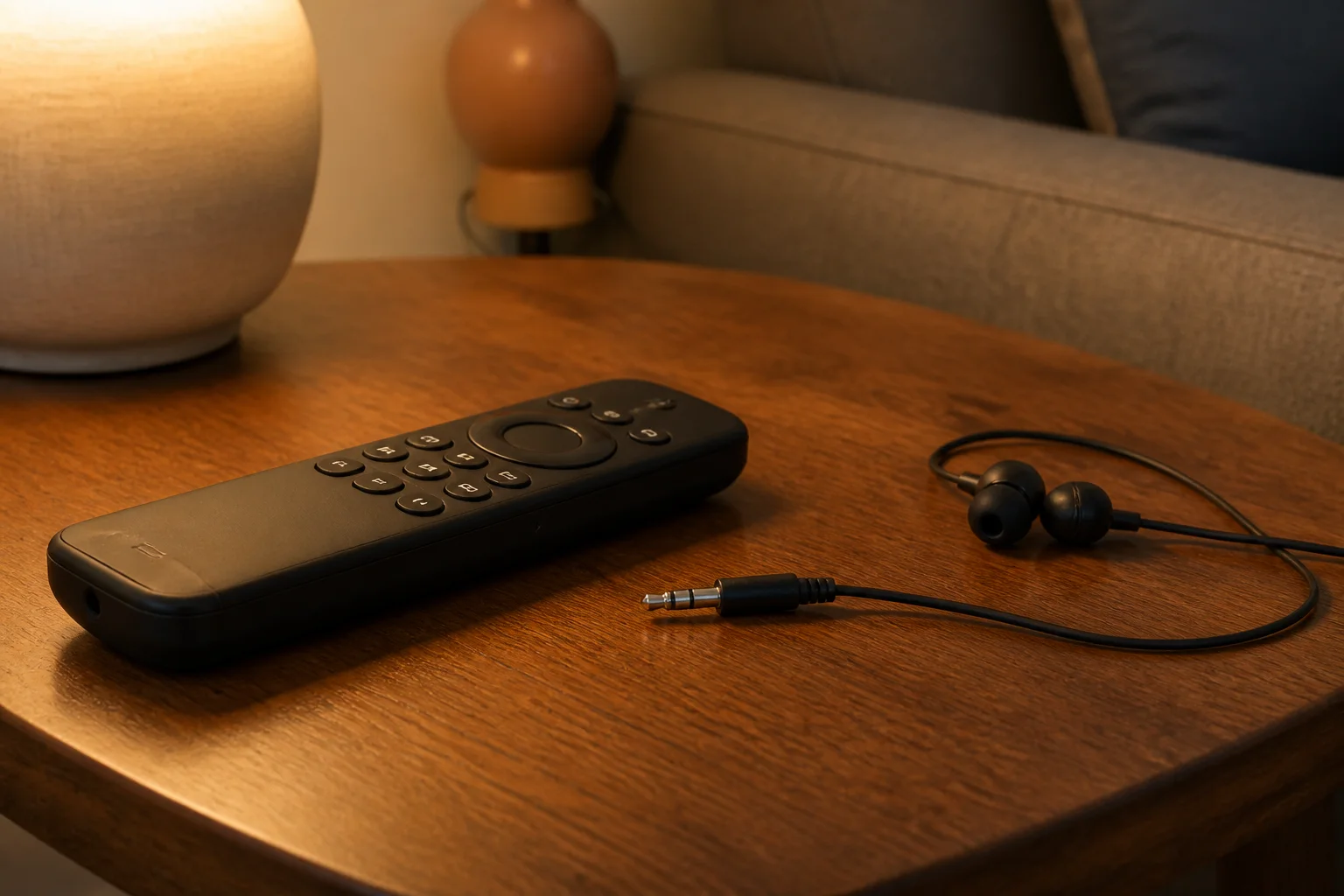
Some Roku voice remotes include a headphone jack for private listening.
It is a handy feature. I can plug headphones into the remote, listen to a show through them, and keep the television speakers quiet.
But I would never leave those headphones connected when I was finished.
Roku specifically advises users to unplug headphones when they are not being used in order to help extend voice-remote battery life.
This is an easy thing to overlook.
Imagine watching a movie late at night with headphones, setting the remote on the coffee table, turning off the television, and forgetting that the headphones are still plugged in.
If that happens regularly, battery life could suffer.
So if I had a Roku remote with a headphone jack, this would be one of the first things I checked.
Fix 9: Think About How Much the Remote Is Actually Being Used
Battery drain can sometimes feel mysterious because we remember how many hours the television was on, but we do not remember how many times we pressed buttons.
Roku Community staff have pointed out that watching lots of short-form video can mean hundreds of button presses in a relatively short time.
That makes sense.
Watching one two-hour movie might require only a few button presses: launch the app, select the movie, press Play, and perhaps adjust the volume.
Watching dozens of short clips is different. I might constantly scroll, select, pause, go back, search, change videos, and adjust playback.
The TV could be used for the same amount of time while the remote does far more work.
Still, I would not use heavy button pressing as an automatic explanation for batteries dying every single week. If the remote has only light use and repeatedly destroys fresh batteries within days, I would keep troubleshooting.
Fix 10: Make Sure the Roku Software Is Updated
Software updates are another simple item I would check before replacing hardware.
Roku recommends updating device software as part of troubleshooting some remote-control problems. Users can normally go to:
Settings > System > System update > Check now.
Software updates can fix bugs and improve how devices communicate. If you are deciding which connected devices are worth keeping, see these smart-home gadgets that are useful instead of just expensive.
I would therefore update the Roku, restart it, reconnect the remote if necessary, and then begin testing with fresh batteries.
The important part is to change one major thing at a time when possible. Otherwise, it becomes difficult to know which fix actually solved the problem.
Fix 11: Use the Roku Mobile App While You Test
If my batteries were disappearing every few days, I would not want to keep opening another package just so I could navigate the television.
The Roku mobile app can work as a remote for compatible devices.
Roku says a phone or tablet running the app needs to be on the same Wi-Fi network as the Roku device, and the Roku must already be powered on and connected to that network.
This gives me a useful temporary solution.
I could remove the batteries from the problem remote for a few days and use the phone app instead.
That test might provide another clue.
For example, if I put fresh batteries into the remote, barely use it, and they still become weak quickly, normal button use probably is not the explanation.
The mobile app also means I am not completely stuck without controls while troubleshooting or shopping for a replacement.
Simple Remote Draining Batteries? I Would Suspect a Different Kind of Problem
Here is where identifying the remote really matters.
If I had a basic Roku simple remote with no microphone button, explanations involving Wi-Fi reconnections would make much less sense because Roku says simple remotes communicate using infrared light rather than the wireless connection used by voice remotes.
If a simple IR remote burned through quality batteries every week, I would focus first on:
- A stuck or damaged button
- Dirty or damaged battery contacts
- Liquid damage
- A defect inside the remote
- Bad batteries
I would also test the remote with a known-good pair of fresh matching batteries.
If the same thing happened again after the remote had been restarted and carefully inspected, I would become much more suspicious of a hardware failure.
At that point, replacement could make more sense than continuing to buy batteries.
Voice Remote Draining Batteries? I Would Check the Connection First
With a voice remote, my checklist would look different.
I would still inspect the buttons and install fresh batteries, but I would also:
- Restart the remote.
- Restart the Roku device.
- Pair the remote again.
- Check the Roku's Wi-Fi reliability.
- Remove headphones from the remote when they are not being used.
- Update Roku software.
- Watch for repeated disconnecting or reconnecting.
That order follows the major problems Roku itself discusses across its remote support information and community troubleshooting guidance.
What About a Rechargeable Roku Remote?
Some Roku remotes do not use disposable AA or AAA batteries at all.
Roku's current lineup includes rechargeable voice remotes, including versions of the Roku Voice Remote Pro. Roku also says some of its newer TVs include rechargeable voice remotes.
A rechargeable remote changes the problem.
Instead of asking, "Why am I buying batteries every week?" I would be asking, "Why do I have to charge this remote so often?"
Many of the same basic troubleshooting ideas still apply: restart the remote, make sure it is paired properly, update the Roku, and investigate wireless connection trouble.
If a rechargeable remote has suddenly lost most of its runtime after years of use, however, the internal battery itself could also be aging.
Rechargeable batteries do not last forever.
When I Would Finally Replace the Remote
I would not replace a Roku remote after one set of batteries dies quickly.
But I also would not keep buying new batteries forever.
I would seriously consider replacing the remote if I had already:
- Tested more than one fresh set of quality batteries.
- Restarted the remote.
- Restarted and updated the Roku.
- Re-paired a voice remote.
- Checked for stuck buttons.
- Removed headphones when not in use.
- Ruled out obvious Wi-Fi or connection problems.
- Confirmed that battery drain continues even with light use.
Roku itself says replacement may be necessary when remote troubleshooting does not solve the problem, and it advises checking compatibility with the Roku model before purchasing another remote.
Compatibility matters because not every remote works with every Roku product.
If I were buying a new voice remote, I would check the model first under Settings > System > About and compare it with Roku's compatibility information. Roku says voice support is available on devices shipped since 2017 as well as several older models, but support still varies by model and remote.
The Biggest Clue Is How Fast the Batteries Die
For me, the key question would be whether the battery life is merely shorter than expected or dramatically abnormal.
A household that presses remote buttons hundreds of times per day will naturally use more energy than someone who turns on one show each evening.
But a lightly used remote repeatedly killing a new pair of batteries in a week deserves investigation.
The Roku Community thread that inspired this issue is a good example. One user described Streaming Stick remotes draining batteries every one or two weeks even though some of the TVs received fairly light use. Roku representatives answered with possible causes such as Wi-Fi congestion, heavy use, pairing problems, and private listening rather than saying weekly replacement was simply expected.
That is why I would troubleshoot before replacing the remote, but I would also recognize when troubleshooting had gone far enough.
A remote is supposed to make watching television easier.
It should not turn buying batteries into a weekly chore.
My Bottom Line
If my Roku remote started draining batteries every week, I would first identify whether it was a simple IR remote or a wireless voice remote.
For a simple remote, I would focus on the batteries, battery contacts, stuck buttons, physical damage, and the possibility of a defective remote.
For a voice remote, I would add several important checks: restart it, re-pair it, restart the Roku, update Roku software, examine Wi-Fi reliability, and make sure headphones are unplugged when private listening is finished.
I would then test the remote with one fresh pair of matching batteries and keep track of how long they lasted.
If those batteries still died within a week or two despite light use and all of the troubleshooting steps above, I would consider that strong evidence that replacing the remote is reasonable.
Until then, the free Roku mobile app can keep the TV usable without burning through another drawer full of batteries.
Similar Headline Options
- Roku Remote Batteries Dying Fast? 11 Fixes to Try Before Buying a New Remote
- Why Does My Roku Remote Keep Killing Batteries? Check These Problems First
- Roku Remote Batteries Lasting Only a Week? Here’s What Could Be Wrong
Sources
- Roku Community — “My Roku TV remote drains battery fast”
- Roku Support — Identify your Roku remote
- Roku Support — Voice remote compatibility requirements
- Roku Support — Use a Roku voice remote with headphones
- Roku Support — System restart instructions
- Roku Support — Roku voice search and control instructions
- Roku Support — Lost remote and mobile app options
- Roku Support — Streaming Stick 4K setup and remote pairing
- Roku Support — Power and volume remote troubleshooting
Keyword tags: Roku, Roku remote, Roku remote battery drain, Roku batteries dying fast, Roku remote troubleshooting, Roku voice remote, Roku simple remote, Roku TV, Roku Streaming Stick, Roku remote pairing, Roku Wi-Fi, Roku battery life, streaming device troubleshooting, TV remote problems, Roku mobile app